
course | interaction design principles
brief
Design a digital mobile prototype that helps users accomplish the same goal as a physical interface, in this case a dishwasher, through a series of tasks. To do so, apply the specific UX and UI patterns from a digital application of your choice, in this case Lyft, to your digital translation.
process
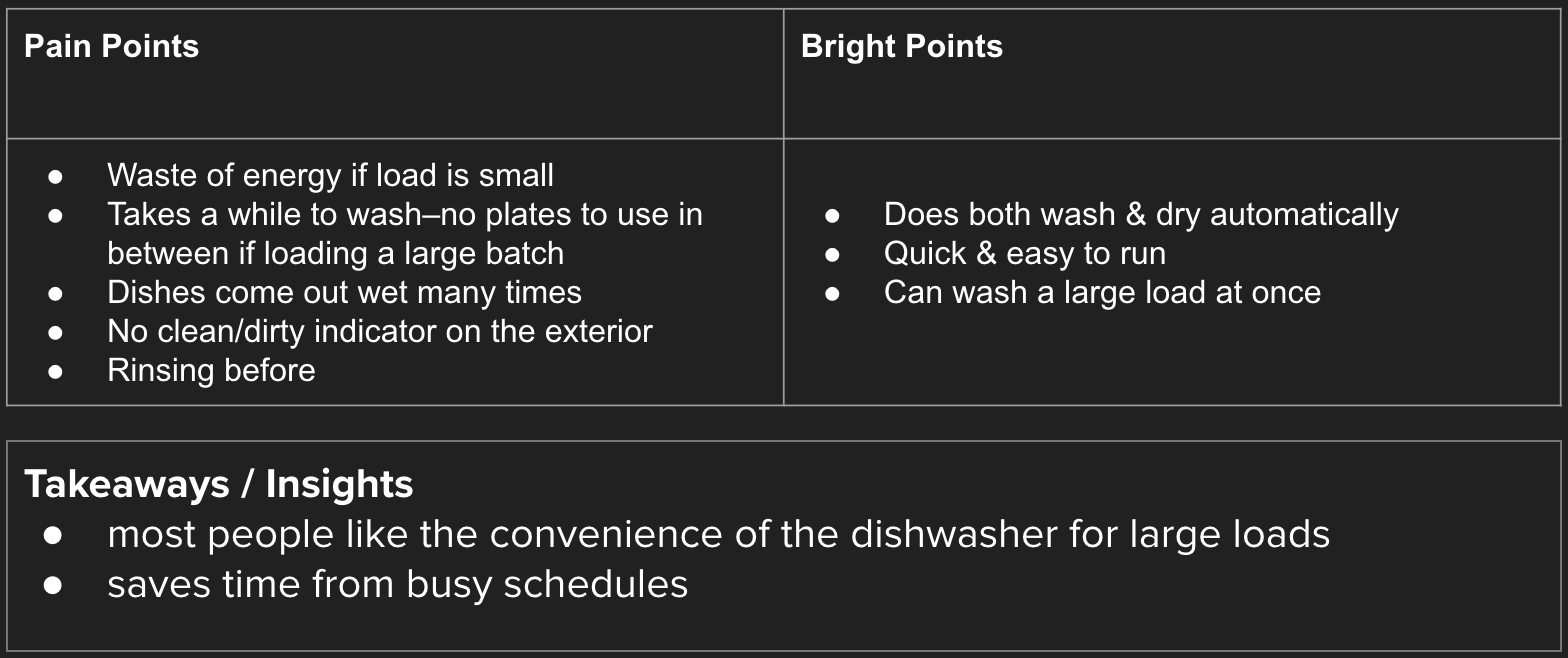
To gain insight on people’s experience using dishwashers, a group of classmates and I conducted interviews. From there I could decide how my app could improve specific aspects of using a dishwasher.
interviews
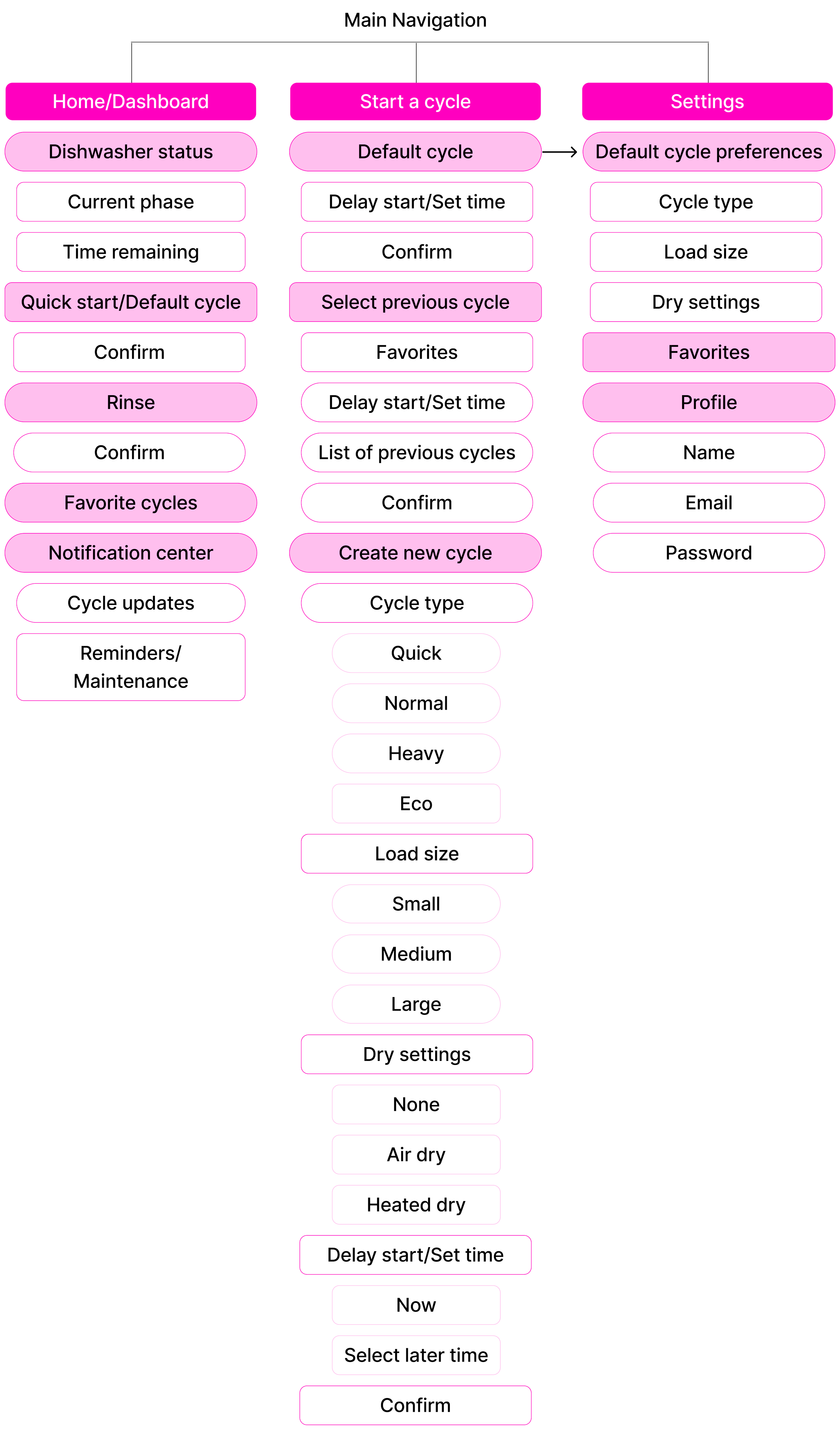
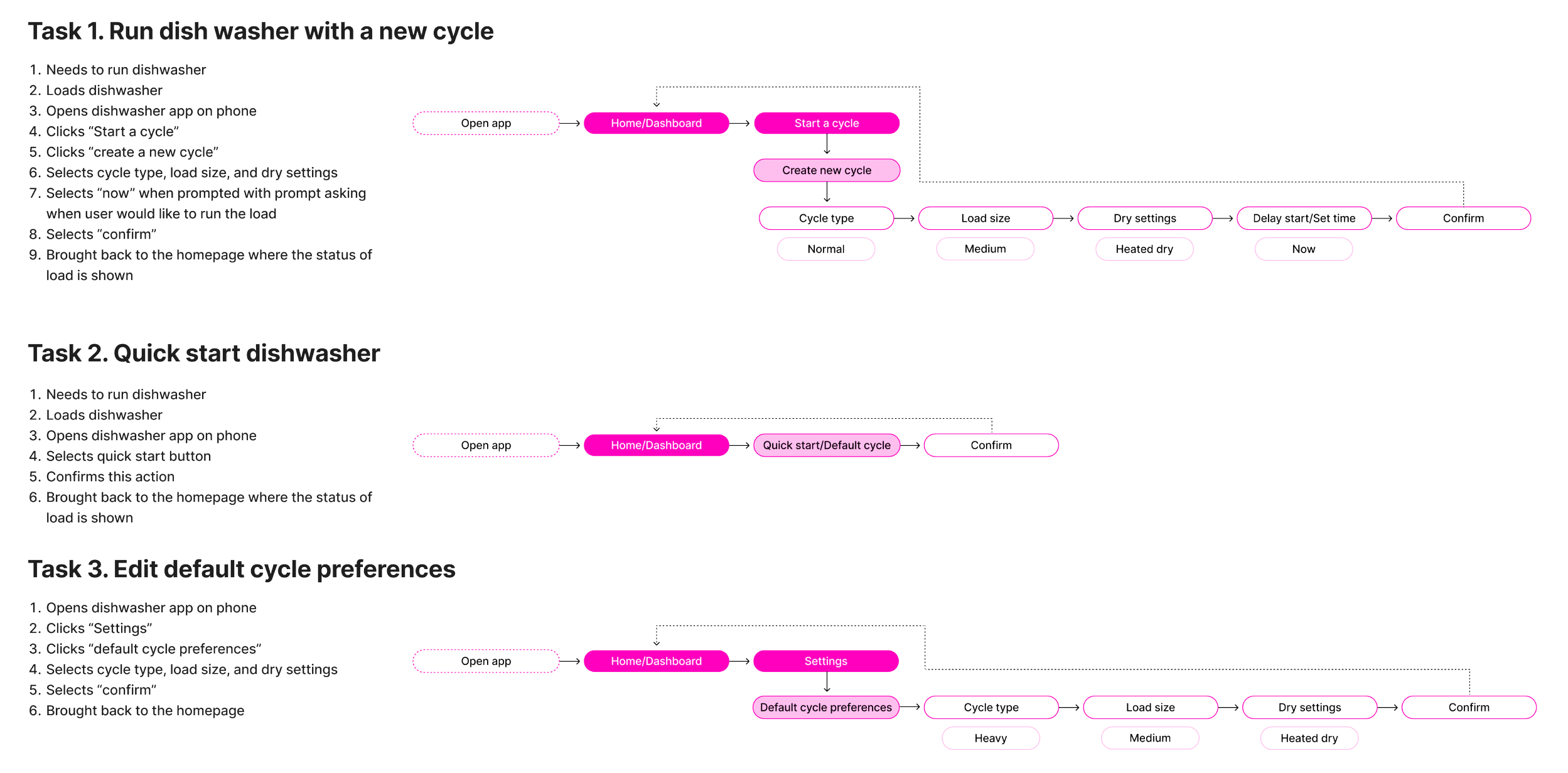
To begin the process of deciding what to include in my app, I created a sitemap with key features I wanted to include. From there, I created three possible task flows to include in my app. I settled on Task 1 to be able to show the most opportunity within the app for users.
Sitemap & Taskflows
RESEARCH
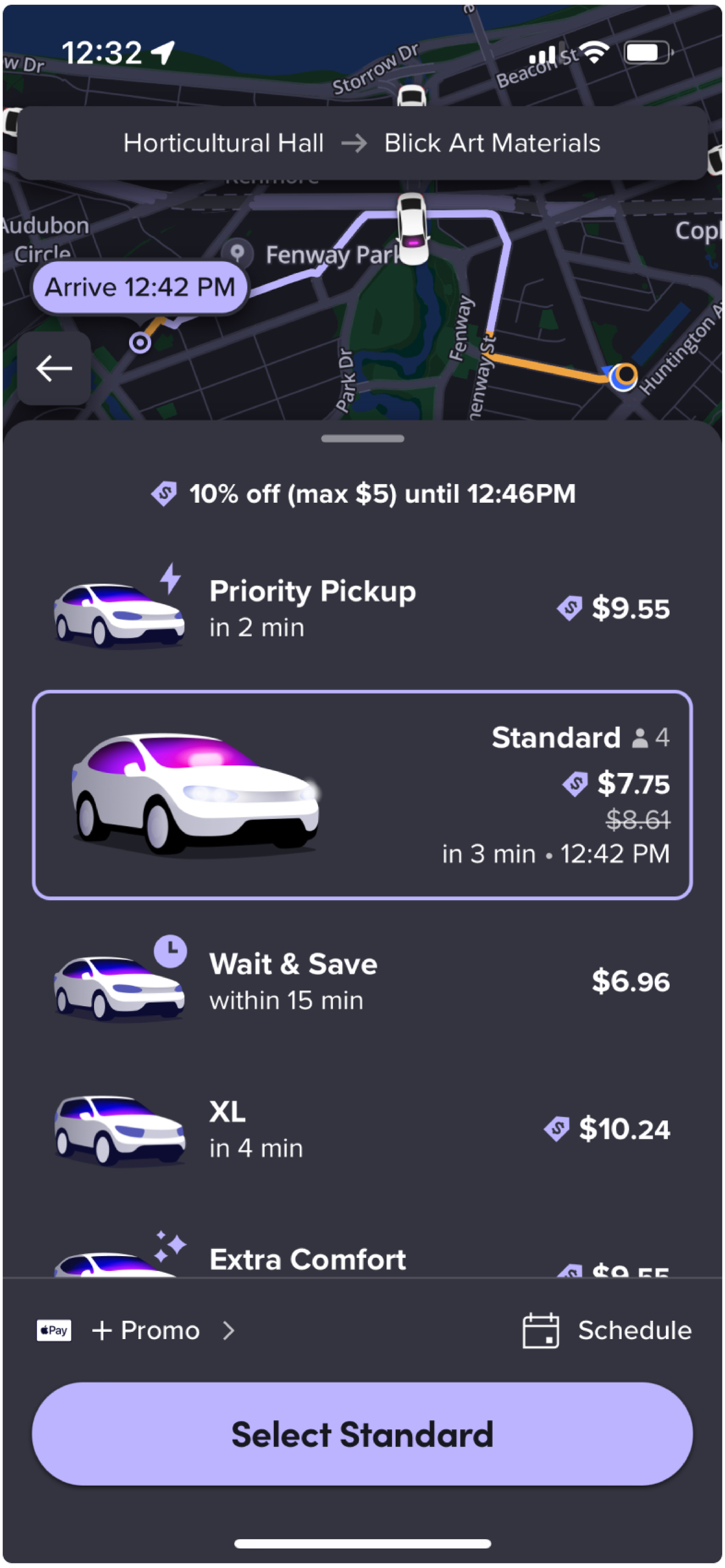
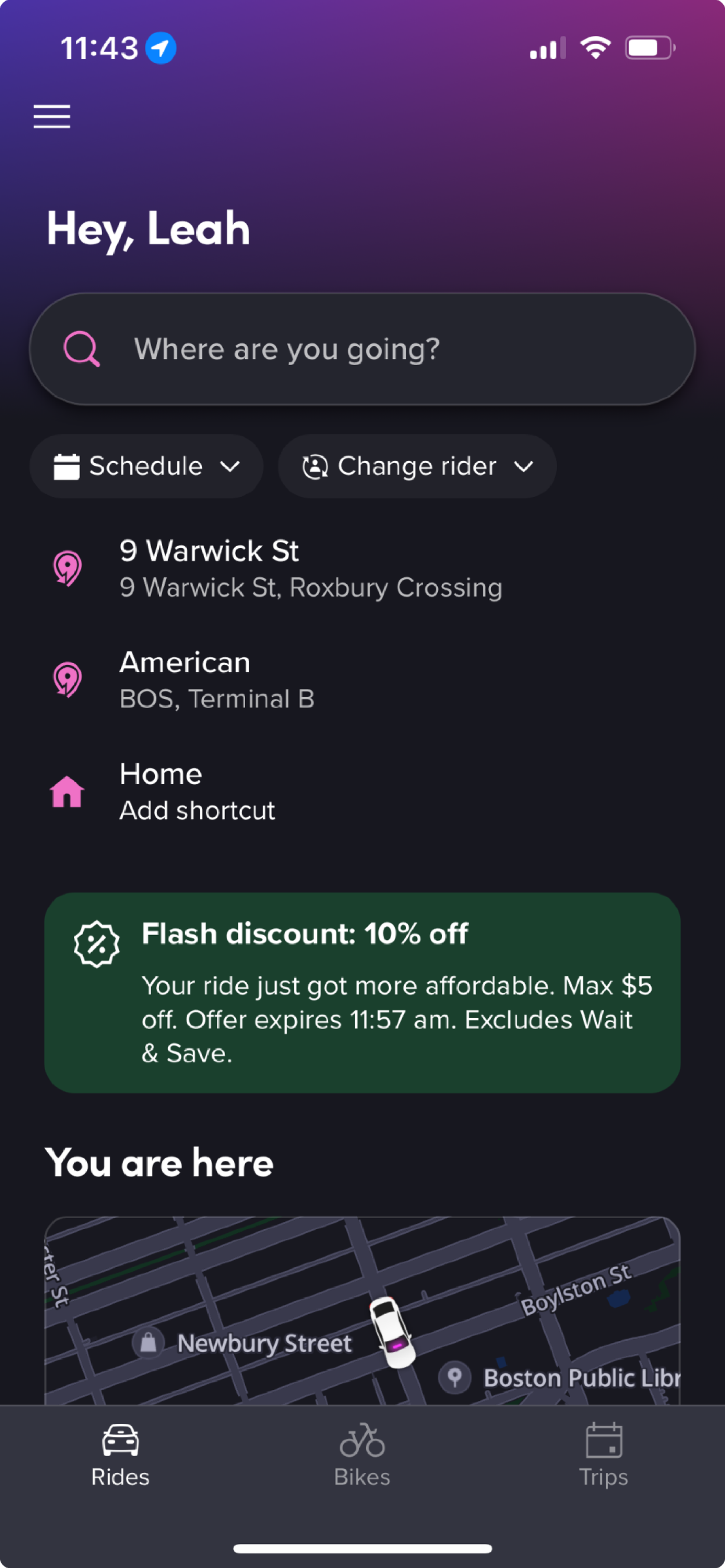
I modeled Dishy after Lyft’s UI. To do this, I researched various aspects of the Lyft app including organizational hierarchy, navigation, color, typography and UX patterns.
Color, Typography & Visual Elements
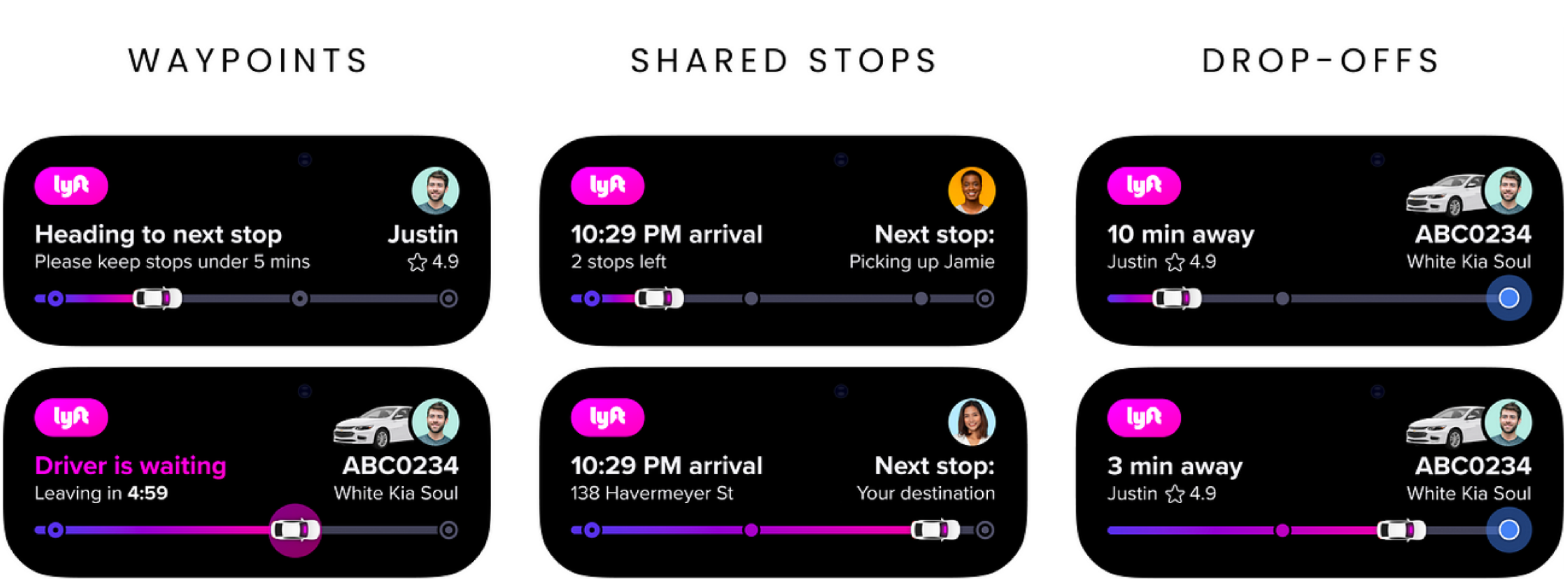
I did a deep dive into Lyft’s color, typography, and visual elements that I could take inspiration from in my app.
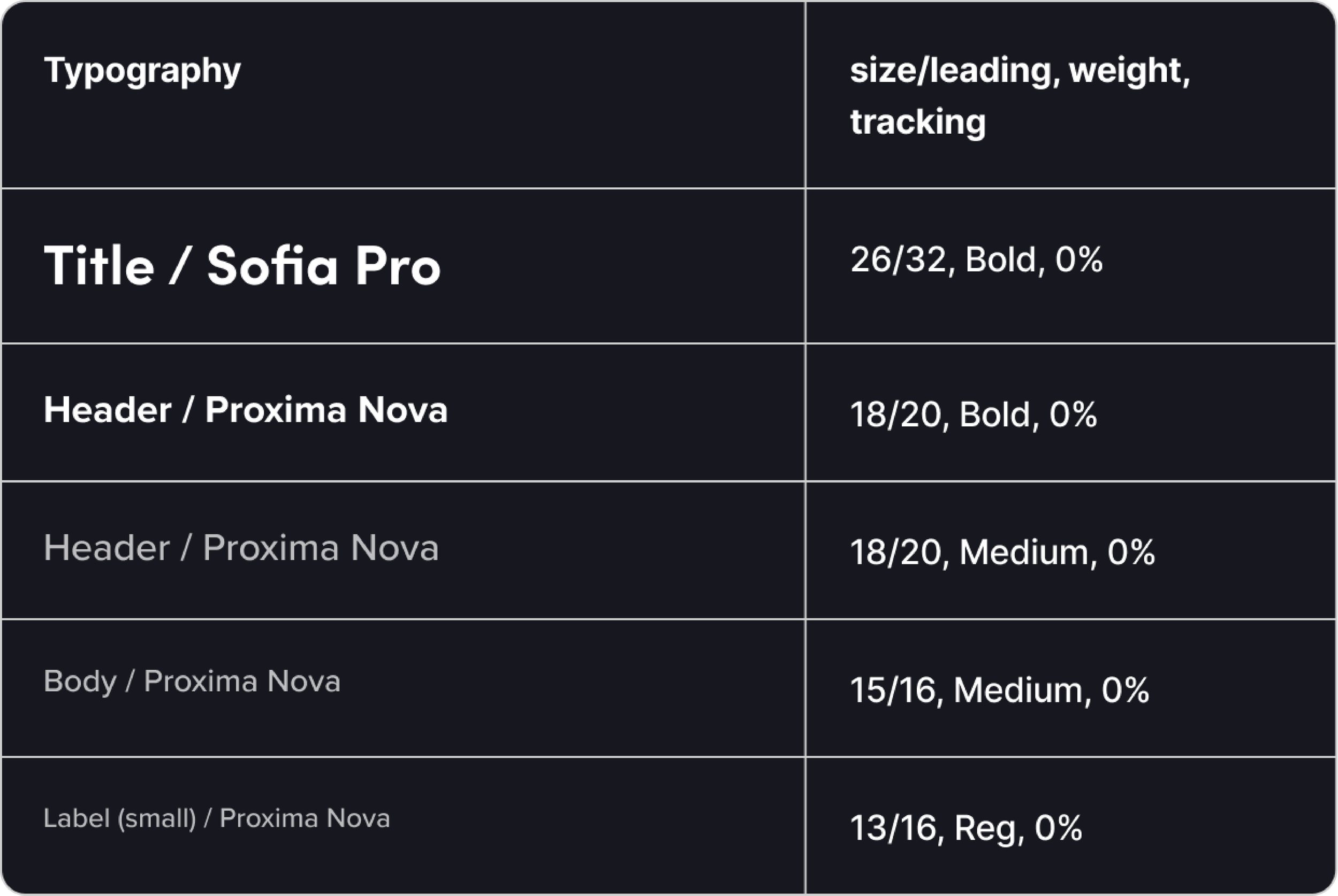

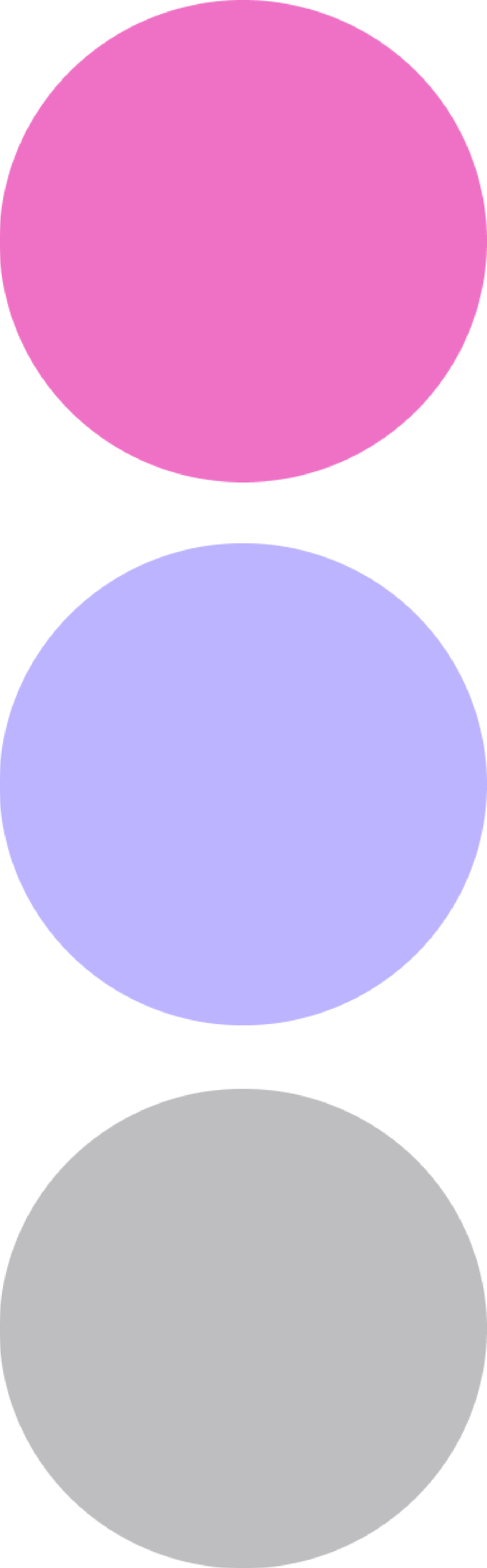

Paper Wireframes
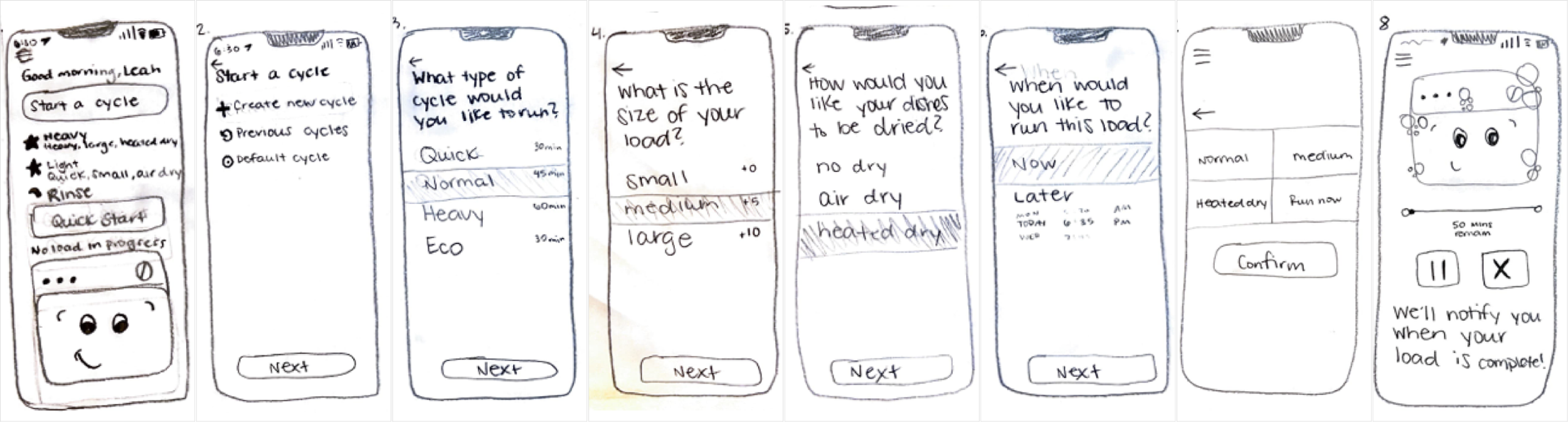
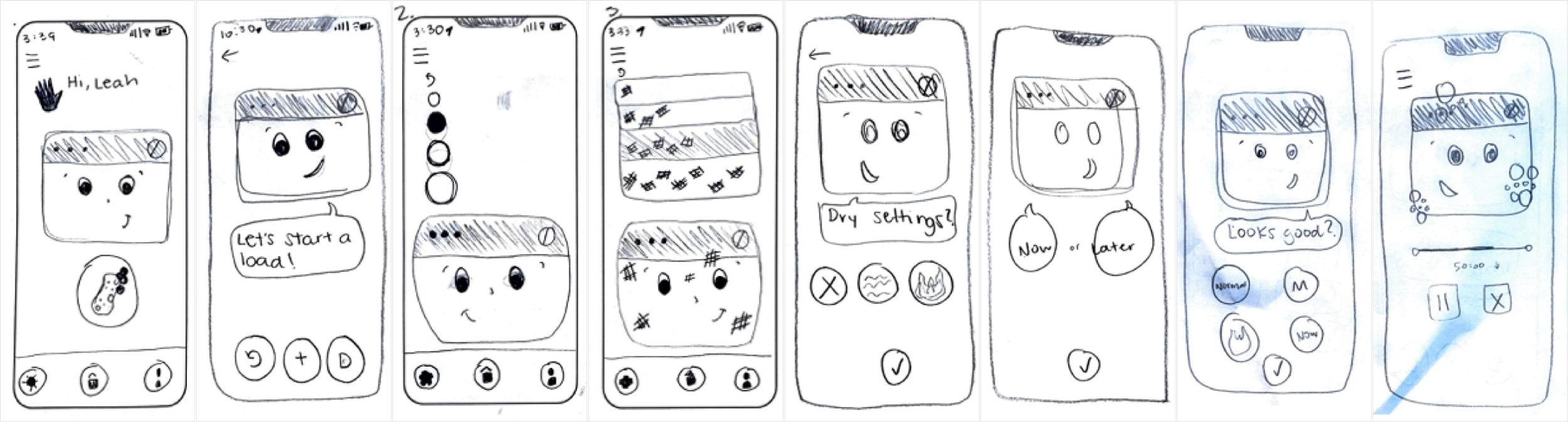
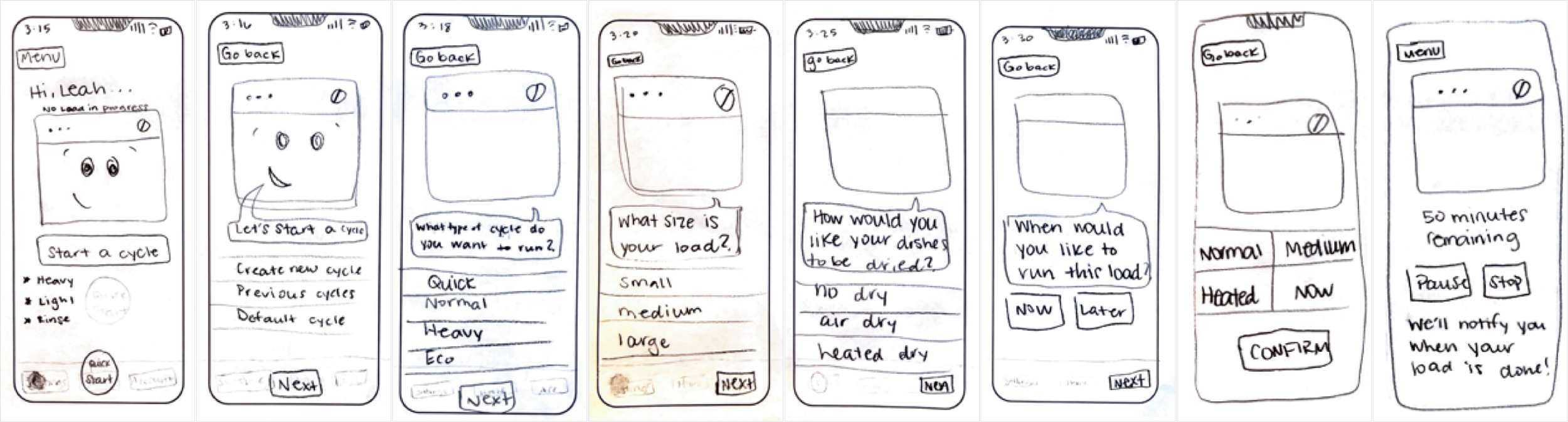
I created three sets of paper wireframes, each with a different key focus. I modeled my first set as closely to Lyft’s layout as possible. For my second set I tried to remove as much text as possible, considering more visual indicators. For the third set I focused on touch tolerances, high contrast, and text-based labels.
DIGITAL Wireframes
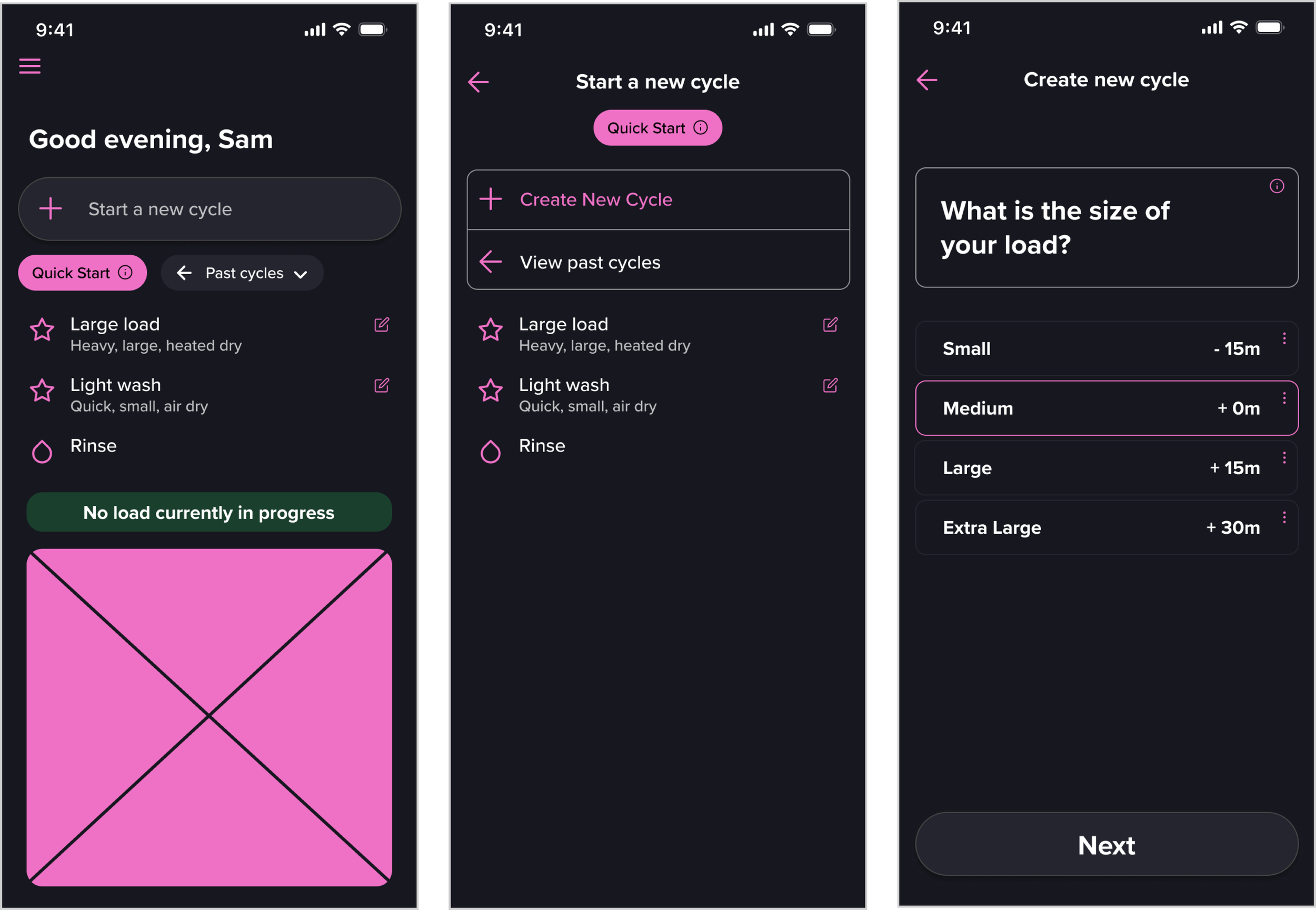
Starting on paper allowed me to think about the most basic aspects of my app design and layout, making the process of creating digital wireframes much easier. Below are a few examples.
User testing
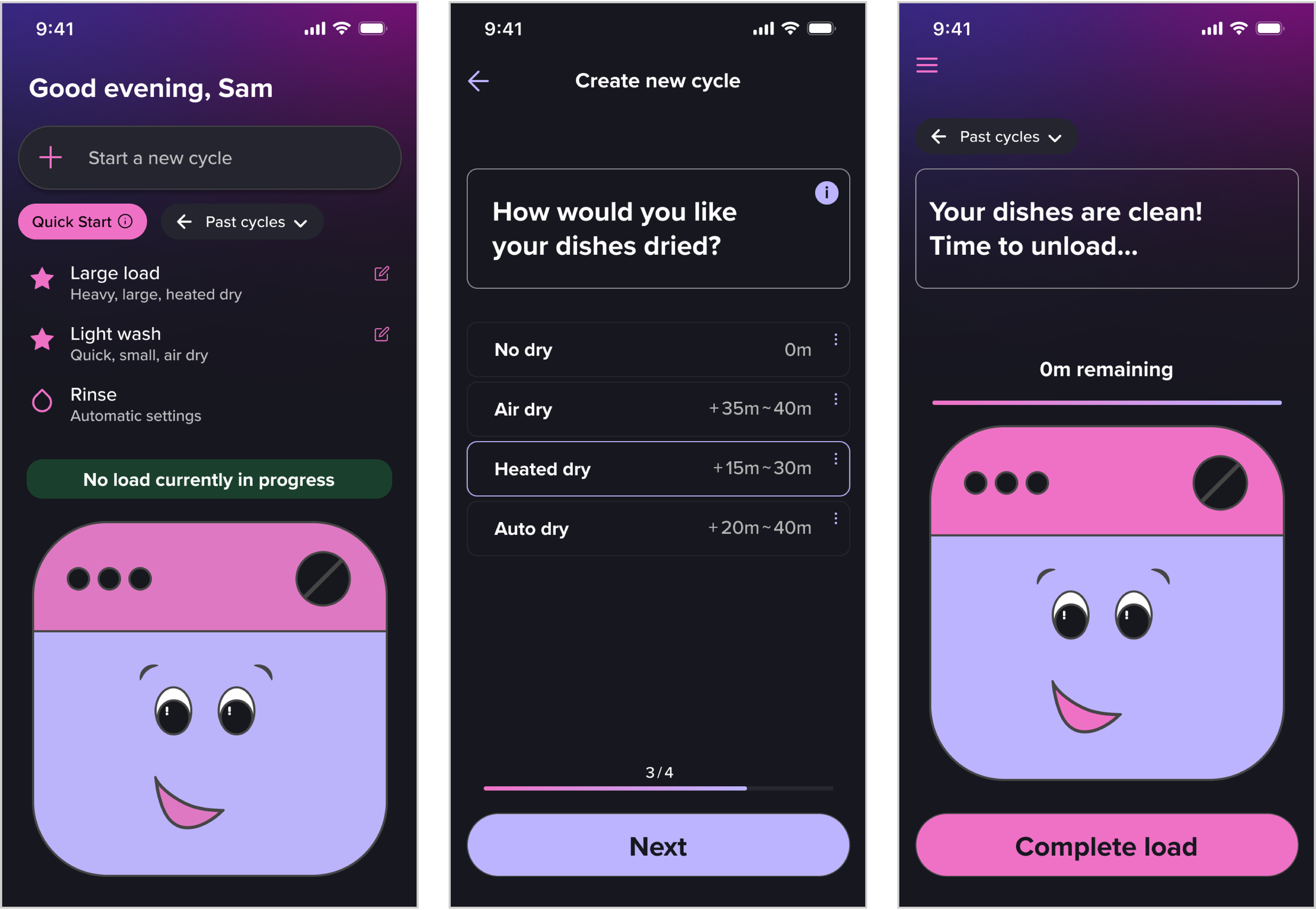
After developing my wireframes, I did user testing that informed my decisions going forward. I received feedback that I should include progress indicators and make the “Next” buttons more noticeable when an option is clicked. I also was told that the “Start a new cycle” page was redundant, and could be omitted.
iterating & refining
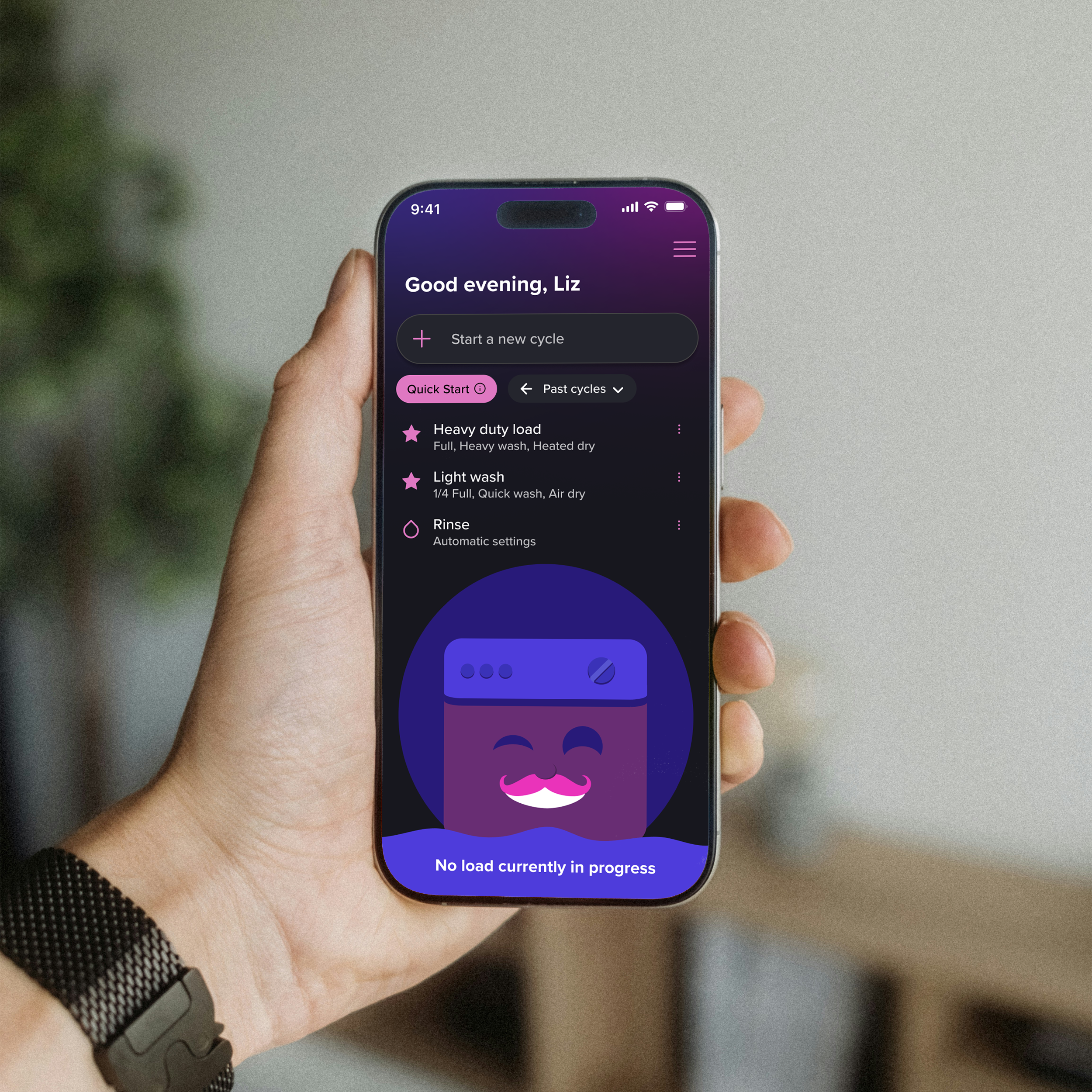
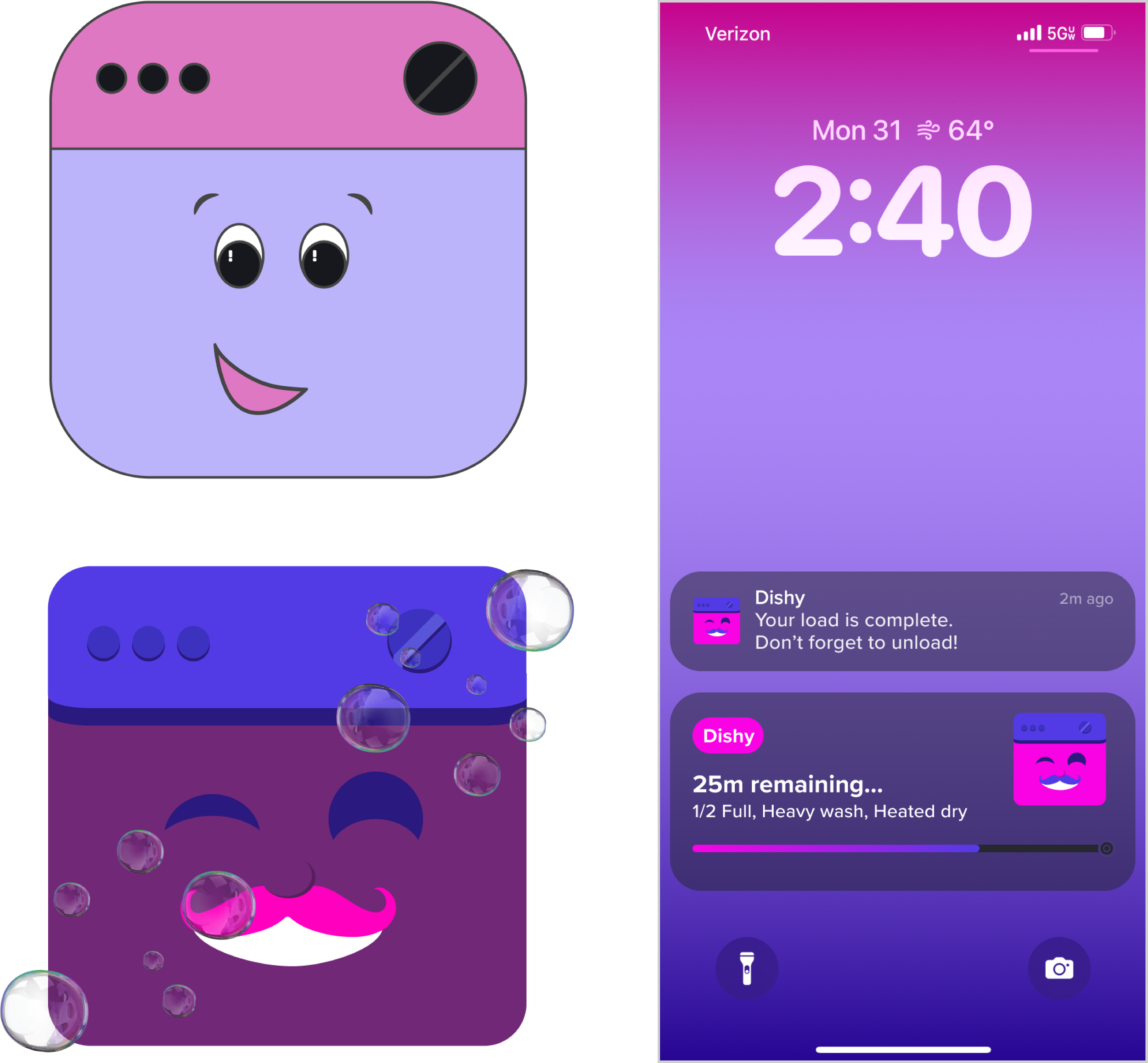
Going back to the Lyft illustration style, I refined the dishwasher icon significantly. I also included a prototype of some lock screen notifications. I refined small details, and added a bubble animation while a load is in progress.
Task Flow:
Open app
Select “Start a new cycle”
Select 1/2 Full
Select Normal Wash
Select Heated Dry
Select Now
Confirm
Watch animation
View lock screen
Complete load
Select Yes
Press the X in the corner
You’re done!